












Rust updates: where to follow the game development
Rust Updates are released regularly, and information about them appears gradually: the devblog explains the finalized patch, Staging allows testing future features, the roadmap shows the direction for the year, and the gaming communities analyze changes in practice. This guide helps distinguish confirmed information from rumors and prepare for a global wipe.
Why Old Rust Guides Quickly Become Outdated
Developers change weapon balance, item costs, monuments, interface, and performance. Even if the general principle remains the same, exact numbers or routes can become incorrect. Search engines continue to show popular material from past years.
Before making important decisions, check three signs: publication date, feature status, and game version. For starting after a wipe, recipes, radiation, access card locations, and building changes are especially critical. The final confirmation is always the actual mechanics working in the current stable build.
Where to Read Rust Changelogs
The monthly devblog describes new features, balance, fixes, optimization, events, and workshop content. For quick notification of publication, you can use the RSS feed, then carefully read the full list of changes.
Read not only the introduction. At the bottom of large publications, you often find small quality of life changes and fixes that affect specific roles. Builders care about new restrictions, electricians about device inputs and outputs, fighters about weapon characteristics.
Roadmap: Plans, Not Exact Dates
The roadmap shows development directions for the year. It helps understand which systems the team wants to develop, but a roadmap item cannot be considered a finished feature. The scope, name, and deadline may change after testing.
Use the roadmap for long-term content and interest planning, not for stocking up on resources for the current wipe. A confirmed mechanic becomes so after appearing in the patch notes of a stable version.
Rust Staging: Early Testing
Staging is a separate test branch where features appear before the main release. Developers sometimes open major systems to players for early testing. The build may be unstable, incompatible with regular servers, and change more frequently than the stable client.
Do not transfer observations from Staging to an article as a done deal. The correct wording is "feature is being tested," not "added to the game." To return to the main client, select the public branch in Steam and wait for the corresponding files to download.
How to Install the Test Branch
Before switching, close Rust. In the game properties on Steam, find the beta versions section and select the available Staging branch if developers have opened it for the client. Steam will download a different set of files. For regular play, revert to the non-beta branch and wait for the update check.
Do not switch a few minutes before a wipe: the download may take time. Settings and server compatibility differ. Staging server installation is done separately through SteamCMD, but a working public server cannot be updated with an experimental build without a separate plan.
Patch Notes, Devblog, and Hotfixes
Devblog covers major updates, while hotfixes address specific issues post-release. Therefore, the initial article does not always reflect the final state of the week. After a major patch, check new project server posts and messages: a critical error may require a restart.
Do not confuse restart and wipe. A restart resets the process and usually keeps the map, while a wipe starts the world anew. Blueprints may be wiped separately depending on the mode.
When a Global Wipe Occurs
A forced wipe is related to Rust's regular update and affects server maps. The exact project launch time depends on receiving the build, world generation, and technical checks. Therefore, the promise of "the server will open in the same second" is rarely realistic.
For SIMPLE RUST, use the current wipe calendar and community announcements. At the global start, all our servers receive a new world according to the project schedule. If developers delay the release, the administration clarifies the time separately.
How to Check the Practical Value of News
Community breakdowns help understand context, see tested features, and grasp complex mechanics. However, old publications may describe a previous game version, so always pay attention to the date and build number.
Our editorial scheme is simple: we take a topic, check the mechanics in the current version, test the logic, then write a new Russian guide. The text and illustrations are created from scratch, and contentious conclusions are not included in the guide until practical verification.
Communities and Social Networks
Communities are useful for quick notifications, translations, and discussing the practical impact of a patch. They often notice bugs, non-obvious routes, and meta changes earlier. But a screenshot without a link, an "insider" message, and a video retelling are not confirmation.
Check the publication date and the presence of a demonstration in the current build. For news about our project, rely on SIMPLE RUST pages, not on announcements retold in other channels.
How to Read Information about New Weapons
First, determine the status: concept, Staging test, or stable release. Then look at compatible ammo, modules, acquisition source, and role. A single damage number does not indicate fire rate, recoil, range, and cost of loss.
After release, compare the item on your server and update your kit. The current classification is compiled in a Rust weapons guide. We deliberately focus on roles that are more resilient to minor balance changes.

How to Track Monuments and Access Cards
Changing a monument's geometry can disrupt an old route, even if the map color remains the same. Before a risky run, check radiation requirements, fuses, switches, and exits. After a patch, first go through a familiar monument with a cheap kit.
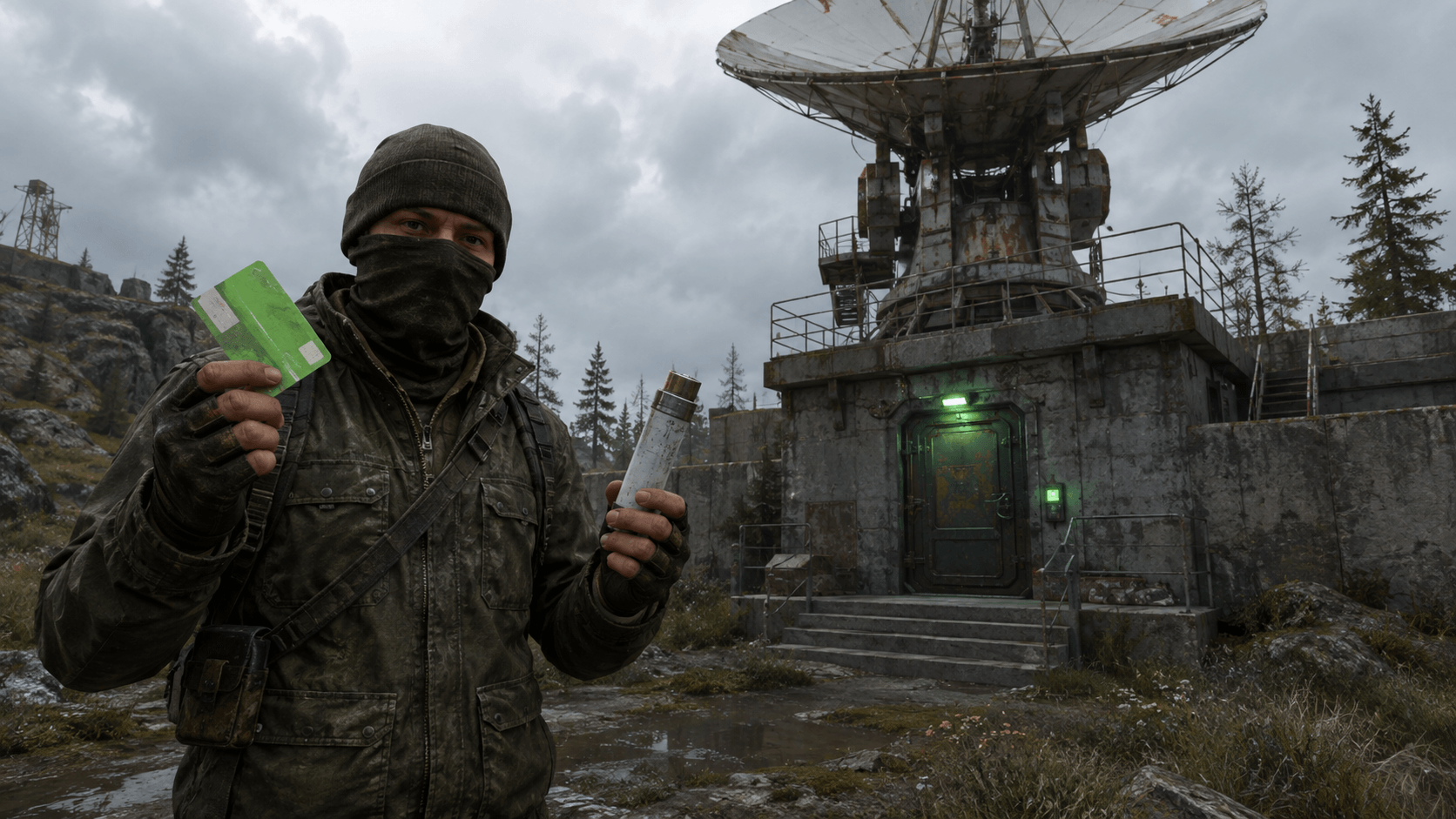
For preparation, use our guides on the green card, blue card, and red card. After monument rework announcements, always check the date of each route.
How to Check Recipes and Economy
When checking an item, consider crafting, compatibility, repair, and ways to obtain it in loot. For components, it's important to understand not only the recycler output but also future needs. A recipe change can alter the entire team's progression order.
Keep handy a guide on components and mixing table recipes. After a patch, first check key crafts in the menu, then mass process your stock.
How Changes Affect Your Base
New building elements, electrical devices, and defense balance require a project review. Do not blindly expand the old layout. Place a test module, check connections, power, and maintenance. The 2026 updates have already shown that patches can add new hatches, power sources, and workbench improvements.
For checking circuits, use a Rust electricity guide. It's better to discover a device input change on a test bench, not during a raid.
How to Prepare the Day Before a Patch
- Read the latest announcement and note confirmed changes.
- Check the schedule of your chosen server.
- Update Steam and free up space on your SSD.
- Save your binds with the
writecfgcommand. - Coordinate the server, roles, and team meeting point.
- Do not base your plan on a feature only in Staging.
For newcomers, review the Rust starter guide, and for the team, the algorithm for a quick meetup on the map.
How to Maintain Your Own Changelog
Create a short list with four columns: feature, version, status, impact on your style. Example statuses: "announcement," "Staging," "released," "hotfixed." This table prevents mixing plans with already available mechanics.
After a gaming session, add practical output: a new item is expensive for solo play, a route has become more dangerous, a scheme requires more energy. Differentiate observation from fact and indicate the server mode because plugins alter the base balance.
Signs of Unreliable News
- no game version or check date provided;
- old screenshot presented as from a new patch;
- author promises an exact date for a roadmap item;
- modified server shown as vanilla;
- one test number declared final balance;
- title states "added," while the feature is only in Staging.
Rumors can be discussed but should not be used as instructions. The more valuable the gameplay decision, the stronger the confirmation should be.
Convenient Update Tracking System
Use devblog for releases, roadmap for direction, Staging for experimentation, in-game cards for item stats, and communities for practical analysis. Compare multiple data types: devblog does not always explain the roadmap, and videos do not guarantee number accuracy.
Also, monitor our Rust server page: project settings, team limit, and intermediate wipe frequency affect gameplay as much as a major patch.
Conclusion
Reliable Rust tracking builds from confirmed to practical. First, the release description comes out, then players test mechanics in real conditions and document important changes. Staging shows the future but does not guarantee the final form.
Before each global wipe, update your client, check the calendar, and highlight three changes that truly impact your start. The rest can be studied after the base is secure and the team is assembled.
How to Compare Versions Before and After a Patch
Create a control list even on the old build: cost of key items, energy consumption, time for a familiar route, weapon status after a series, and FPS at several points. After the update, repeat the same actions. This test distinguishes real change from the feeling caused by a new server, player count, or random combat.
Record the conditions. Results on a modified x3 server cannot be directly applied to vanilla, and performance on an empty map is not the same as near a huge base. If a conclusion is important for an article, confirm it with at least two attempts and provide a link to the version.
What to Do in the First Hours After Release
Do not rush to change all habits based on one chat message. Update your client, connect to the officially announced server, and check basic actions: crafting, building, map, interaction, and sound. If an error occurs, note its exact text, time, and sequence of actions. This is more useful than a message saying "nothing works."
Keep an eye on hotfixes. Developers may quickly fix a critical issue, requiring a server restart. Do not store the only copy of an important config in a folder that can be overwritten by an update. Save custom binds with the standard command and keep a clear list of changes.
Editorial Checklist for a New Article
- Formulate the topic and gaming question, not just rewrite someone else's headline.
- Find a recent devblog, changelog, or version description.
- Check the feature in the current stable version.
- Note the differences between vanilla and project settings.
- Create your own structure, examples, and illustration.
- Add the check date and internal links to related guides.
This process takes more time than a direct translation, but the material remains useful and avoids repeating outdated mistakes. Before the next patch, the editor sees which statements need rechecking.
Before publishing, reread the material from a newcomer's perspective: the date, version, and status of each feature should be clear without additional explanations. After a hotfix, recheck key tips and figures.
Latest comments